
 Kuaishou
Kling 3.0 Prompt Guide
How to write Kling 3.0 prompts: a structure that works, 6 example prompts for text to video and image to video, and the settings that change the result. Copy any prompt into the Studio to try it.
- Example prompts
- 6
- 2 tasks
- Resolution
- 4K
- 720p · 1080p · 4K
- Clip length
- 3–15 s
- audio optional
- Per try from
- $0.0739/s
- 720p
Structure
A Kling 3.0 prompt, piece by piece
Write in this order and keep each part concrete. Physical detail works better than mood words.
01
Subject
Who or what is on screen, with the details that must stay consistent: age, clothing, materials, colours.
02
Action
One clear action in the present tense. For clips up to 15 s, describe a short sequence of beats.
03
Camera
Shot size and movement: close-up, wide, dolly-in, orbit, handheld, drone.
04
Scene and light
Location, time of day, and where the light comes from.
05
Style
Lens, film look, colour grade or animation style.
06
Sound
Kling 3.0 can add native audio (billed at a higher rate): describe ambience, effects or dialogue when generate_audio is on.
Examples
Kling 3.0 prompt examples
Prompts written for this model, grouped by task. Open one in the Studio, then change one part at a time.
- Text to Video16:9
A street violinist plays in the rain under a neon sign, slow orbit around him, reflections on wet cobblestones
Try in Studio - Text to Video9:16
Close-up of a chef flambéing a pan, flames lighting his face, sizzling sound, shallow depth of field
Try in Studio - Text to Video16:9
A wolf runs across a frozen lake at dawn, low tracking shot, snow spray catching the light
Try in Studio - Text to Video9:16
A model in a flowing red dress spins on a rooftop at golden hour, fabric rippling in slow motion
Try in Studio - Text to Video
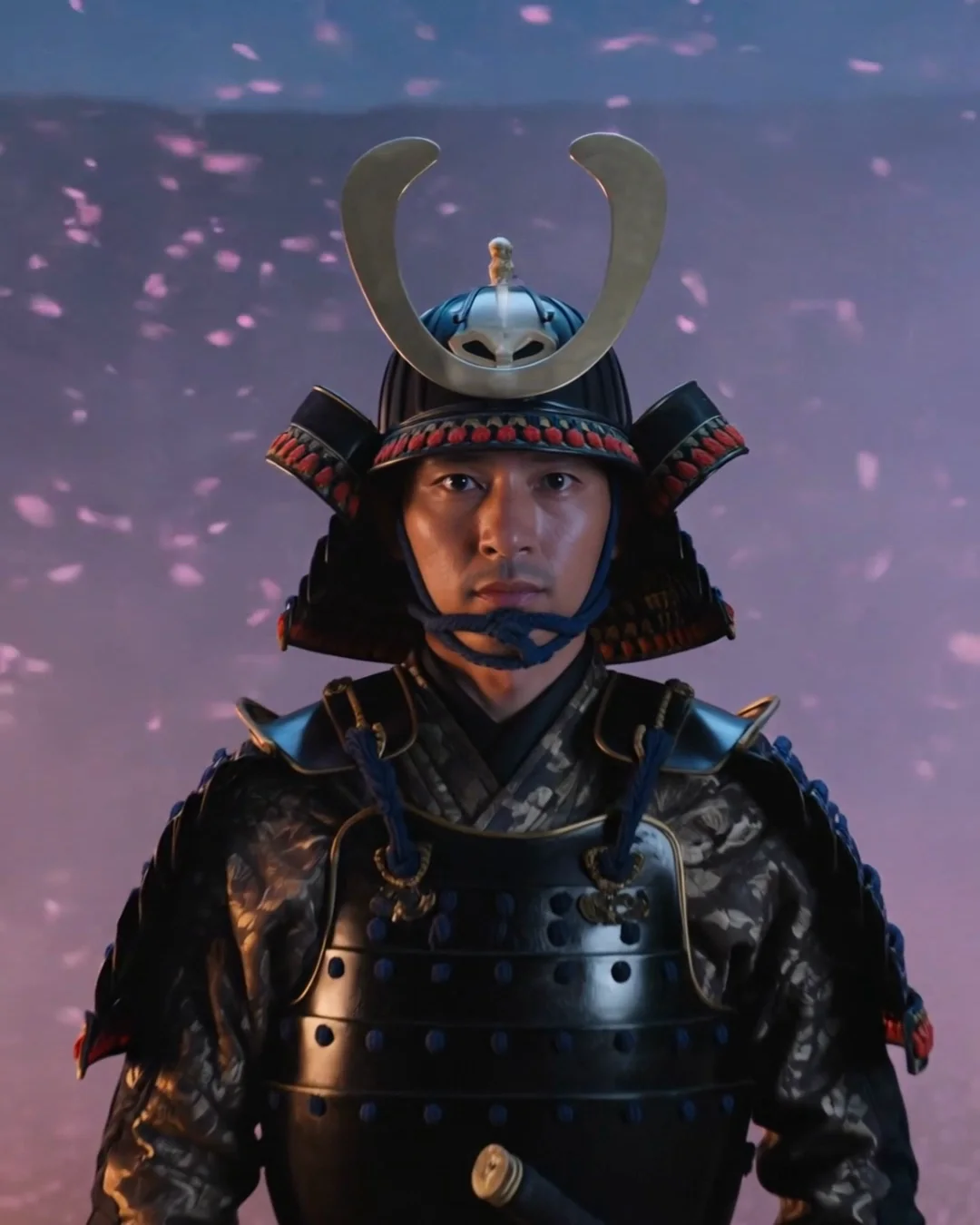
A lone samurai walks through falling cherry blossoms at dusk, slow tracking shot, cinematic lighting
Try in Studio - Image to Video
She turns toward the window and smiles as the curtains sway; slow push-in
Try in Studio
By task
Prompting each Kling 3.0 task
Text to Video
Everything comes from the text, so describe subject, action and camera explicitly. Put the most important element first.
Image to Video
The image is the first frame: describe the motion and camera from that frame instead of re-describing the picture. Add a last frame to control where the shot ends.
Settings
Settings that change the result
Set these next to the prompt — in the Studio or as API parameters.
| Setting | Options | Effect |
|---|---|---|
| Aspect ratio aspect_ratio | 16:9 · 9:16 · 1:1 default 16:9 | Output frame shape. |
| Resolution resolution | 720p · 1080p · 4K default 720p | Output resolution. Higher resolutions cost more per second. Price: 720p $0.0739/s · 1080p $0.0986/s · 4K $0.3685/s |
| Duration duration | 3–15s default 5 | Length of the generated clip in seconds (3–15s). You pay per second. |
| Generate audio generate_audio | on / off default true | Generate synchronized sound, ambience and dialogue. Clips with audio are billed at a higher per-second rate. |
| Negative prompt negative_prompt | — | Things to avoid in the output. |
Play to its strengths
What Kling 3.0 is good at
- Character-driven scenes and short-drama shots
- Product and fashion videos from a single image
- First-to-last-frame transitions
- Any length from 3 to 15 seconds
FAQ