
FLUX 3 Image Klein Prompt Guide
How to write FLUX 3 Image Klein prompts: a structure that works, 4 example prompts for text to image and image edit, the settings that change the result and how to reference your own media. Copy any prompt into the Studio to try it.
- Example prompts
- 4
- 2 tasks
- Size
- 4K
- 768 · 1K · 1.5K · 2K · 4K
- Aspect ratios
- 16
- 1:1 · 4:5 · 3:4 · 2:3
- Per try from
- $0.0011/image
- 768
Try it
Try a prompt on FLUX 3 Image Klein
Run the example, then rewrite it with the structure and examples below. The price is on the button; failed runs are refunded.
Structure
A FLUX 3 Image Klein prompt, piece by piece
Write in this order and keep each part concrete. Physical detail works better than mood words.
01
Subject
The main subject and its key details: material, colour, expression, product features.
02
Composition
Framing and angle: close-up, flat lay, three-quarter view, rule of thirds, negative space.
03
Setting and light
Background, environment and lighting: studio softbox, golden hour, neon.
04
Style
Photo, illustration, 3D render or painting — plus lens or medium details.
05
Edit instruction
For edits, say what to change and what must stay the same: “replace the background, keep the product and its shadow”.
Examples
FLUX 3 Image Klein prompt examples
Prompts written for this model, grouped by task. Open one in the Studio, then change one part at a time.
- Text to Image4:5
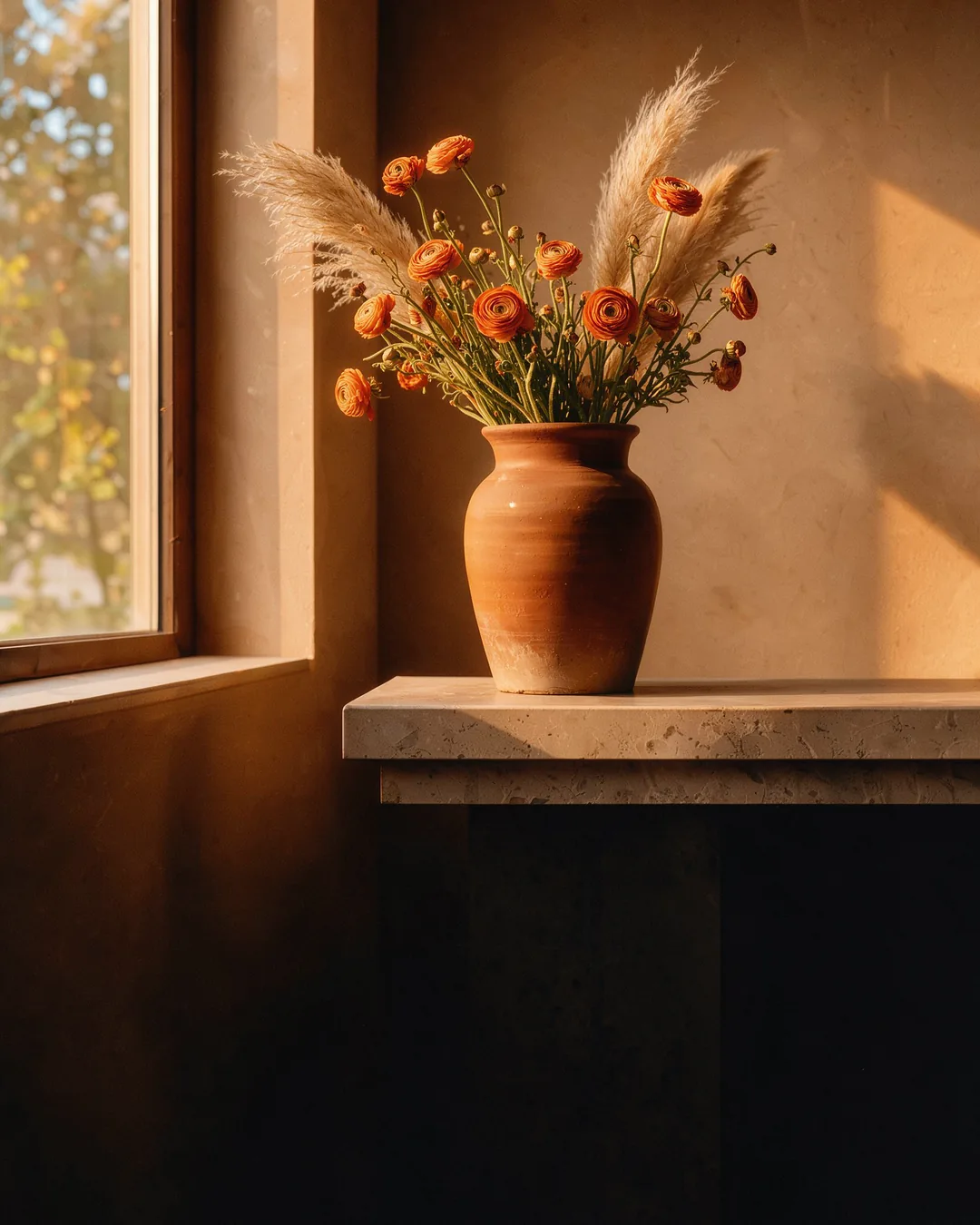
Editorial still life of a hand-thrown terracotta vase with dried orange ranunculus on a travertine plinth, low golden-hour sun from the left, long soft shadows on a warm plaster wall, medium-format film photograph
Try in Studio - Text to Image16:9
Wide shot of a night market in Taipei: steam rising from a dumpling stall as a cook lifts a bamboo steamer lid, neon signs reflected on the wet pavement, people browsing behind, handheld 35mm film photo with fine grain
Try in Studio - Text to Image2:3
Art deco travel poster of a streamlined train crossing a coastal stone viaduct at sunset, bold gold lettering reading "RIVIERA EXPRESS" across the top, navy and gold geometric sunburst behind the train
Try in Studio - Image Edit
Put the lamp from image 2 on the desk in image 1; keep the room, the light and the camera angle
Try in Studio
By task
Prompting each FLUX 3 Image Klein task
Text to Image
Lead with the subject, then composition, setting, light and style. Quote any text that must appear in the image.
Image Edit
Describe the change, not the whole image. Name what must stay untouched so the model keeps it.
Referencing your own media
| Input | In the prompt | Limits and rules |
|---|---|---|
| Input images Image Edit · up to 10 | see description | Up to 10 reference images to edit or combine. Refer to them as "image 1", "image 2"… in the prompt. |
Settings
Settings that change the result
Set these next to the prompt — in the Studio or as API parameters.
| Setting | Options | Effect |
|---|---|---|
| Aspect ratio aspect_ratio | 1:1 · 4:5 · 3:4 · 2:3 · 9:16 · 1:2 · 9:21 · 5:4 · 4:3 · 3:2 · 16:9 · 2:1 · 21:9 · 7:5 · 5:7 default 1:1 | Output image shape. Price: 1:1 $0.0011/image |
| Resolution resolution | 768 · 1K · 1.5K · 2K · 4K default 1K | Output size tier: 768 ≈ 0.6 MP, 1K ≈ 1 MP, 1.5K ≈ 2.4 MP, 2K ≈ 4 MP, 4K ≈ 16 MP. Up to 2K, wide and tall ratios keep the long side at 2048 px or less; 4K takes 1:1, 4:3, 3:4, 3:2, 2:3, 16:9, 9:16, 21:9, 9:21. Price: 768 $0.0011/image · 1K $0.0019/image · 1.5K $0.0043/image · 2K $0.0074/image · 4K $0.0342/image |
| Seed seed | — | Use the same seed and settings to reproduce a result. Leave empty for random. |
| Enable Safety Checker enable_safety_checker | on / off default true | If set to true, the safety checker will be enabled. Content our Acceptable Use Policy prohibits stays blocked either way. |
FAQ